Linked, not handed over
XerAds works through its Google Ads manager account. Your account, its billing, and its campaigns stay yours, with no API keys to set up.
XerAds builds Google Ads campaigns from your media plan and publishes them to your own ad account. You link the account to XerAds’ Google Ads manager account once, and XerAds works on it through that manager account. There are no API keys to set up, campaigns start paused, and you can end the link at any time.
Inside Ads Management · Google Ads
Your own ad account
Ads Management
Linked to XerAds
Link status
Campaign
Awaiting your approval
-
Impressions
-
Clicks
-
Spend
XerAds manages Google Ads through its own Google Ads manager account. You link your account under it by accepting an invitation in Google Ads, and XerAds confirms the account is yours before it starts. From then on XerAds reads the account and makes the changes you ask for through that manager account: there are no API keys to set up, and XerAds never asks for your Google password. Campaigns XerAds builds start paused, Xera asks for your approval before it launches a campaign or changes a budget, and you can end the link at any time from XerAds or in Google Ads. XerAds uses your Google Ads data to provide the features you use, and does not sell it or use it for advertising.
XerAds works through its Google Ads manager account. Your account, its billing, and its campaigns stay yours, with no API keys to set up.
Every campaign XerAds builds starts paused. Xera asks for your approval before it launches a campaign or changes a budget.
Remove the account from XerAds, or end the link in Google Ads. Live campaigns keep running until you pause or end them, and XerAds deletes its copy of the account’s data 30 days later.
Not every team wants to run its own campaigns. XerAds also runs Google App Campaigns as a managed service: we set up attribution and in-app analytics before launch, build and operate the campaigns across Search, Play Store, YouTube, and Display, then review performance with you every week. What changes is who does the work, the ad account, the spend, and the data stay yours in both models.
Book a free campaign auditBranch, Adjust, or Appsflyer set up and verified before a single rupiah is spent.
Campaigns built, launched, and optimised every week, with reporting that says what changed and why.
A managed engagement changes who operates the campaigns, never who owns them.
The agency administrator acts as the PIC: they link the agency’s Google Ads accounts to XerAds’ manager account and operate the campaigns. Agency staff prepare briefs from media plans and see their own reports, without access to the ad accounts or campaign controls.
Linked accounts and campaign operations sit with one named administrator.
Agency staff prepare briefs and read their own reports, and never operate the ad accounts.
Accounts are linked under XerAds’ manager account, so there are no API keys or passwords to pass around the team.
You stay the account owner throughout. XerAds is the software layer that turns a media plan into campaign structure, ads, and keywords, then publishes them to the account you linked.
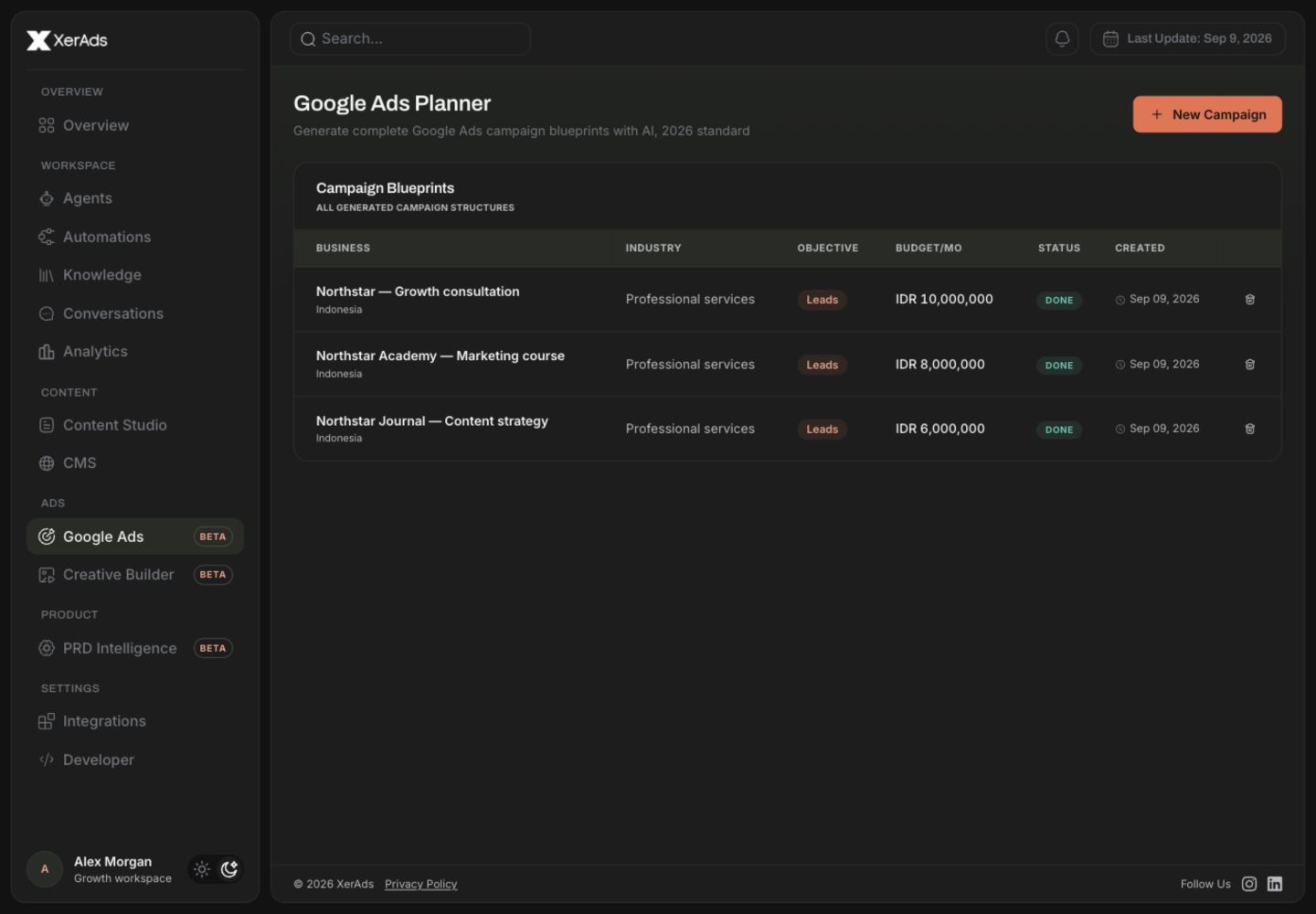
Build the strategic starting point in XerAds: objective, budget direction, audience, keywords, and creative guidance.
Enter your customer ID and accept XerAds’ invitation in Google Ads under Admin > Access and security > Managers. XerAds confirms the account is yours, and then it is ready. Where Connect with Google is available for your account, you can sign in with Google and choose the accounts instead.
XerAds builds the campaign from your media plan and publishes it to your account paused, so nothing spends before you review it.
Launch when you are happy with the build, then follow performance reporting pulled directly from your account.
When you run it yourself, you link your Google Ads account to XerAds’ manager account and XerAds is the software that builds the campaigns; you review and launch them yourself. With the managed option, our team runs your Google App Campaigns for you, including attribution setup, and reports back weekly. The ad account and the billing are yours in both cases; only the operator changes.
Through XerAds’ own Google Ads manager account. You enter your customer ID, XerAds’ manager account sends a link invitation, and an administrator of your account accepts it in Google Ads under Admin > Access and security > Managers. A XerAds administrator confirms the account belongs to you before XerAds uses it. Where Connect with Google is available for your account, you can instead sign in with Google, choose the accounts, and XerAds accepts the link for them; it keeps that sign-in for at most 30 minutes and then deletes it. Either way, there are no API keys to set up, and XerAds never asks for your Google password.
A Google Ads account to advertise from, and someone with admin access to it who can accept XerAds’ invitation in Google Ads. You do not need a Google Cloud project, an OAuth client, or a developer token. If you choose the managed option instead, our team handles the setup with you.
No. Campaigns XerAds builds start paused, and nothing serves or spends until you launch them. Xera, the XerAds assistant, asks for your approval before it launches a campaign, changes a budget, or applies one of Google’s recommendations. On the managed side we launch only against the budget you approved in the brief, and any change to that budget is agreed with you first.
Remove the account from XerAds and XerAds ends its manager link in Google Ads, or end the link yourself in Google Ads. Either way XerAds stops reading and changing the account, your campaigns keep running exactly as they were until you pause or end them, and XerAds deletes its copy of the account’s Google Ads data 30 days after the link ends. On the managed side, ending an engagement removes our operator access the same way.
XerAds uses it to provide the features you use: showing your accounts, campaigns, and reports, building and publishing campaigns, making the changes you ask for, and answering your questions in Xera. It does not sell your Google Ads data or use it for advertising. The XerAds Privacy Policy explains what XerAds reads, how long it keeps it, and how to have it deleted.
Technically no, but without it you only see Google’s own numbers, which tend to flatter the result. An independent attribution setup gives you a neutral read on which ads actually work. On managed engagements we set this up before launch and support Branch, Adjust, and Appsflyer, including auditing a setup you already have.
Performance is read back from your own Google Ads account, impressions, clicks, cost, conversions and conversion value, so the numbers in XerAds reconcile with the numbers in Google Ads, because they are the same numbers.
Create a workspace, complete a media plan, link your Google Ads account to XerAds, and let XerAds build the campaign for you.
Link your Google Ads account